Enterprise resource planning
ERP is a system where the entire accounting of a company lives on a single database. A sale, a stock write-off, incoming money and cost price are not counted separately in different programs — they are different projections of one and the same operation. That is why ERP is called the core: every other system in the company reaches into its data one way or another.
What it is
ERP stands for Enterprise Resource Planning. Resources here mean not only money, but also goods in the warehouse, people’s working hours, equipment, production capacity and lead times. ERP describes all of it in a single data model: one directory of counterparties, one product catalog, one chart of accounts, one history of operations. Any action — from receiving a shipment to paying salaries — is recorded once and immediately becomes visible to everyone with access to it.
The main difference between an ERP and a pile of separate programs is that nothing has to be entered twice and nothing has to be reconciled. When accounting runs in five disconnected tools, every report becomes manual work: one person exports sales, another stock, another the bank, and then the numbers are merged in a spreadsheet and everyone spends a long time working out why they disagree. In an ERP a report is simply a query against the same data the operators work on. A manager sees the events themselves, not a retelling of them.
Why you need it
ERP is not implemented for the sake of technology, but when a business outgrows manual management. The signs of that moment look almost the same in every company.
- The numbers disagree
The warehouse shows one balance, accounting shows another, and a salesperson promises a customer goods that physically do not exist. Every discrepancy is either a lost sale or a write-off.
- Reporting arrives late
The manager learns the result of the month two weeks after it ended, when nothing can be done about it any more.
- Cost price is unknown
The company knows its turnover but not which items and directions bring profit and which run at a loss.
- Processes rest on people
The knowledge of “how things are done here” lives in the heads of a few employees. One of them going on holiday or leaving stops the work.
What the system owns
ERP owns the operational core of the company. The set of modules depends on the industry, but the core always consists of the same areas of responsibility.
- Directories and a single base
Counterparties, products, departments, prices, warehouses, accounts. One object exists in the system once — that is the foundation for any analytics that follows.
- Sales and purchasing
Orders, invoices, delivery notes, returns, mutual settlements. Every document is tied to a movement of goods and money.
- Stock and balances
Receiving, transfers, write-offs, stocktaking, batches and expiry dates. A balance always has a history, not just a number.
- Finance and cash desk
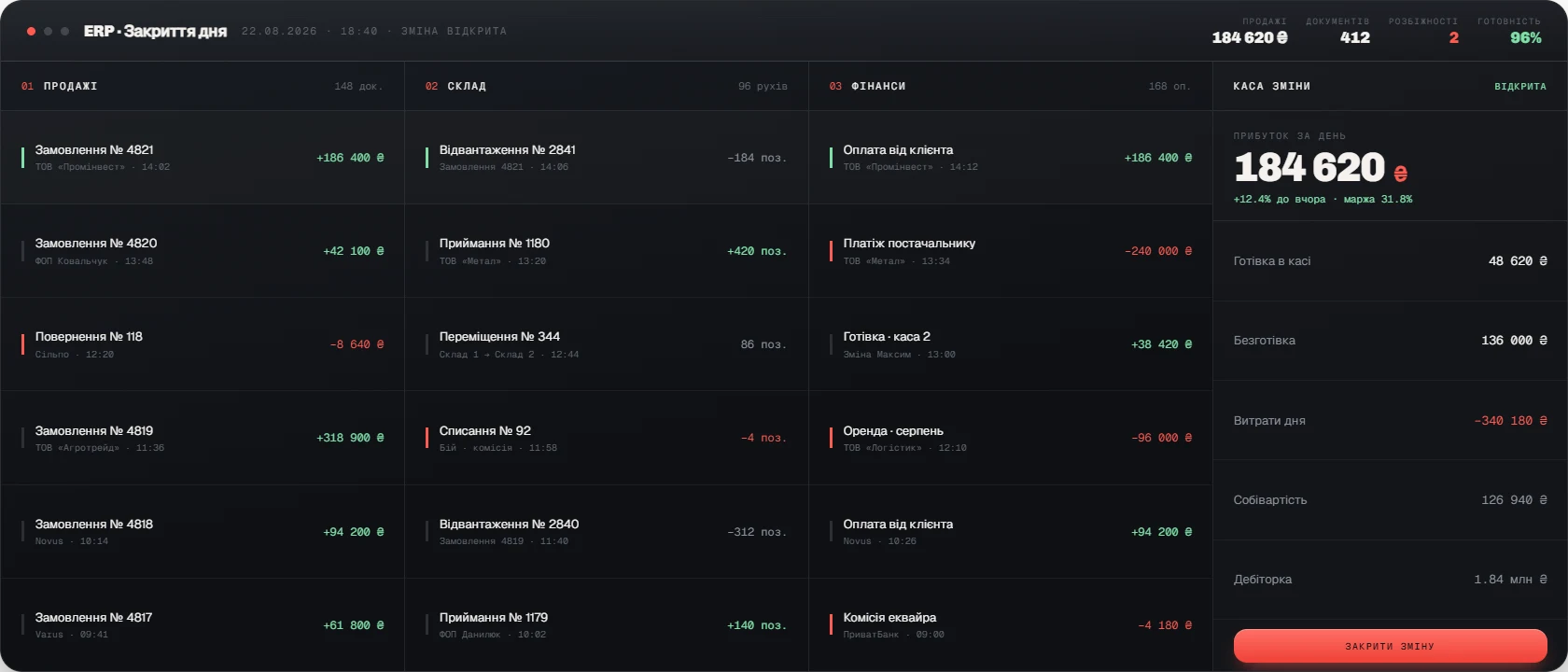
Cash and bank, payment calendar, receivables and payables, fiscalization, closing the shift and the day.
- Staff and payroll
Staffing table, shift schedules, time tracking, salaries, rates, percentages and bonuses.
- Access rights and audit log
A role defines what a person sees and can change. Every change is recorded with its author and time — which settles the question of responsibility.
What implementation delivers
After an ERP is in place the company gets one version of the truth. Closing the day stops being manual work, cost price is calculated automatically, and a report for the manager is produced the moment it is asked for rather than a week later. We design ERP for the specific business: first we describe the processes on site, then we build the data model and role-based access, and only after that the interfaces people will work in eight hours a day.