
Document management
DMS is a document management system: one store with access rights, versioning, expiry dates, full-text search and approval routes. It replaces the paper archive and the folders on a shared disk where every file exists in three revisions and nobody knows which one is in force.
What it is
A Document Management System stores a document together with its context: type, parties, dates, validity period, related documents and a full history of changes. Search works not only on the title but on the content and the attributes, so finding a contract by a fragment of its wording takes seconds. Access rights are set at the level of document types and departments — confidential documents do not reach people who do not need them.
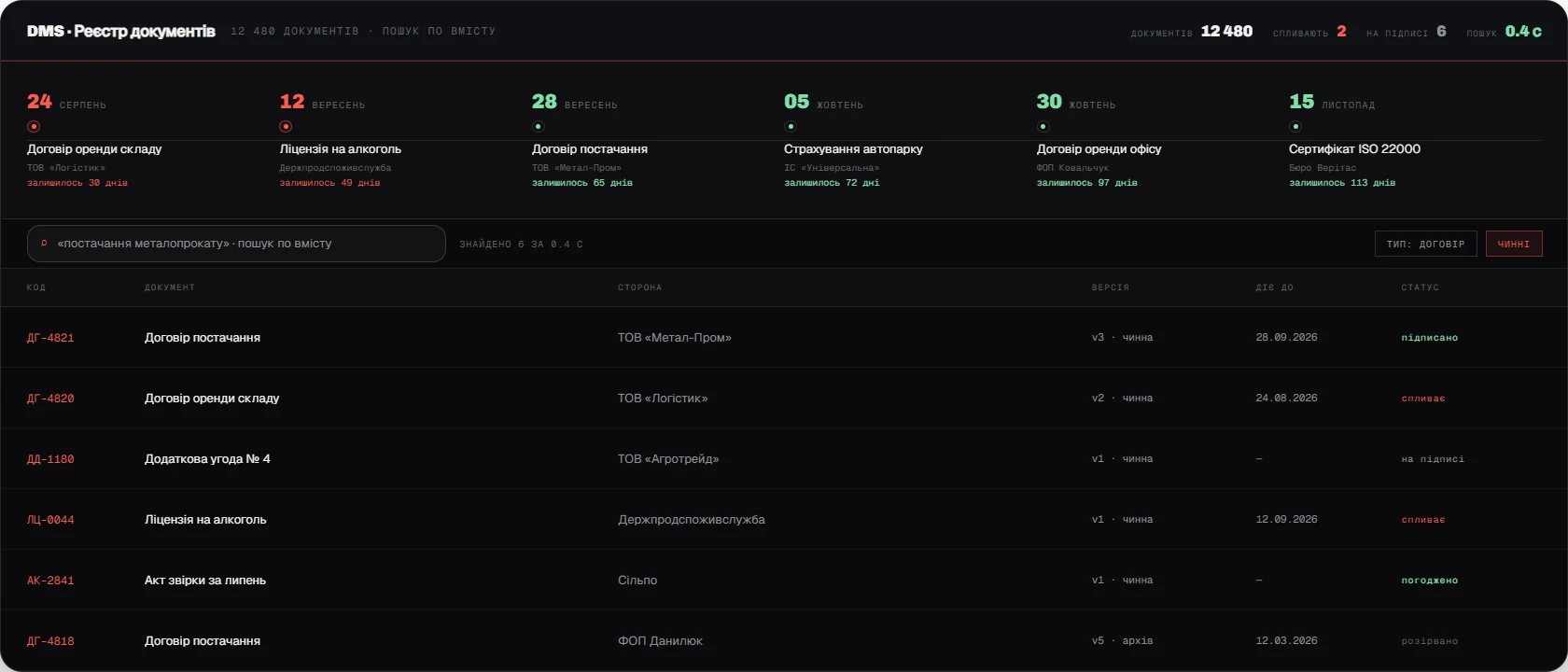
A separate loop is deadlines. The system tracks the end dates of contracts, warranties, licences and permits and warns in advance. That removes the most expensive kind of mistake in document handling: a contract that renewed itself automatically, or expired, and was remembered only once the consequences arrived. Approval routes close the second half of the task — sign-off without paper and with a legally valid signature.

Why you need it
DMS is needed once the volume of documents has outgrown what can be kept in folders and in someone’s memory.
- A document cannot be found
Finding the current revision of a contract takes hours, and sometimes ends with asking the counterparty for a copy.
- Versions get confused
One revision was signed, another is being worked to, and this comes to light during a dispute.
- Deadlines are missed
A contract renewed itself automatically, or expired, with no warning at all.
- Access is not restricted
Files sit in a shared folder that far more people can open than need to.
What the system owns
DMS owns the preservation, availability and legal soundness of document handling.
- One store
Every document in one place, typed and with attributes, instead of folders on a disk.
- Versioning
A history of revisions, comparison between versions, the current one always marked.
- Access rights
Separation by document type, department and role, with a log of who opened what.
- Full-text search
Search across content and attributes, scanned documents included.
- Deadlines and reminders
Tracking of end dates, warnings in advance, a register of upcoming events.
- Approval routes
Sign-off and signing with an electronic signature, no paper copy involved.
What implementation delivers
DMS turns document handling into a managed process: there is always exactly one current revision, the document you need is found in seconds, and deadlines are not missed. Legal risk from lost or expired documents drops sharply. We build DMS together with BPM so approval and archiving are one process rather than two systems.