
Customer management
CRM is a system that stores and structures everything a company knows about a client: where they came from, what was agreed, what they bought, where the deal stalled and what to do with it next. Without a CRM this information exists as notes in managers’ heads, call history on a phone and letters in a personal mailbox — which means it leaves together with the employee.
What it is
Customer Relationship Management covers the full cycle of working with a client, not just the sale. The system carries an enquiry from the first touch — a form on the site, a call, a message in a messenger — through the stages of negotiation to the deal and to repeat purchases. Every contact leaves a trace: a call recording, an email, a manager’s comment, an invoice that was sent. The history is not interrupted when a client is handed to another employee.
A CRM works when it mirrors your sales process, not the other way round. That is why pipelines, stages, required fields and automatic tasks are configured for your specific way of working: a long B2B cycle with several approvals looks nothing like a retail enquiry that must be closed within an hour. The system does not force a manager into extra clicks — it removes routine: it creates the tasks itself, reminds about the next step and does not let an enquiry get lost.
Why you need it
A CRM is needed when there are more clients than anyone can remember, and decisions about them are made by guesswork.
- Enquiries get lost
Some enquiries never reach a manager or stay unanswered. The company pays for traffic that leads nowhere.
- There is no forecast
The manager cannot say how many deals are due to close this month, or for how much.
- Client knowledge is personal
A manager resigns and the history of agreements walks out with them, so the client has to be “introduced” all over again.
- Reasons for losses are unknown
The company sees lost deals but does not understand at which stage, or why, clients walk away.
What the system owns
CRM owns the commercial loop: everything that happens between a client’s first interest and their repeat purchase.
- Pipelines and stages
Stages that match your process, mandatory conditions for moving on, separate pipelines for different sales directions.
- Client base and history
One card with contacts, deals, documents, calls and emails. Duplicates are detected automatically.
- Auto-tasks and reminders
The system sets the next step itself and does not let a deal hang without action.
- Communications
Telephony with call recording, email, chats and messengers in one window, reply templates.
- Segmentation and campaigns
Grouping by behaviour and purchase history, personal offers, reactivation of those who stopped buying.
- Analytics and KPIs
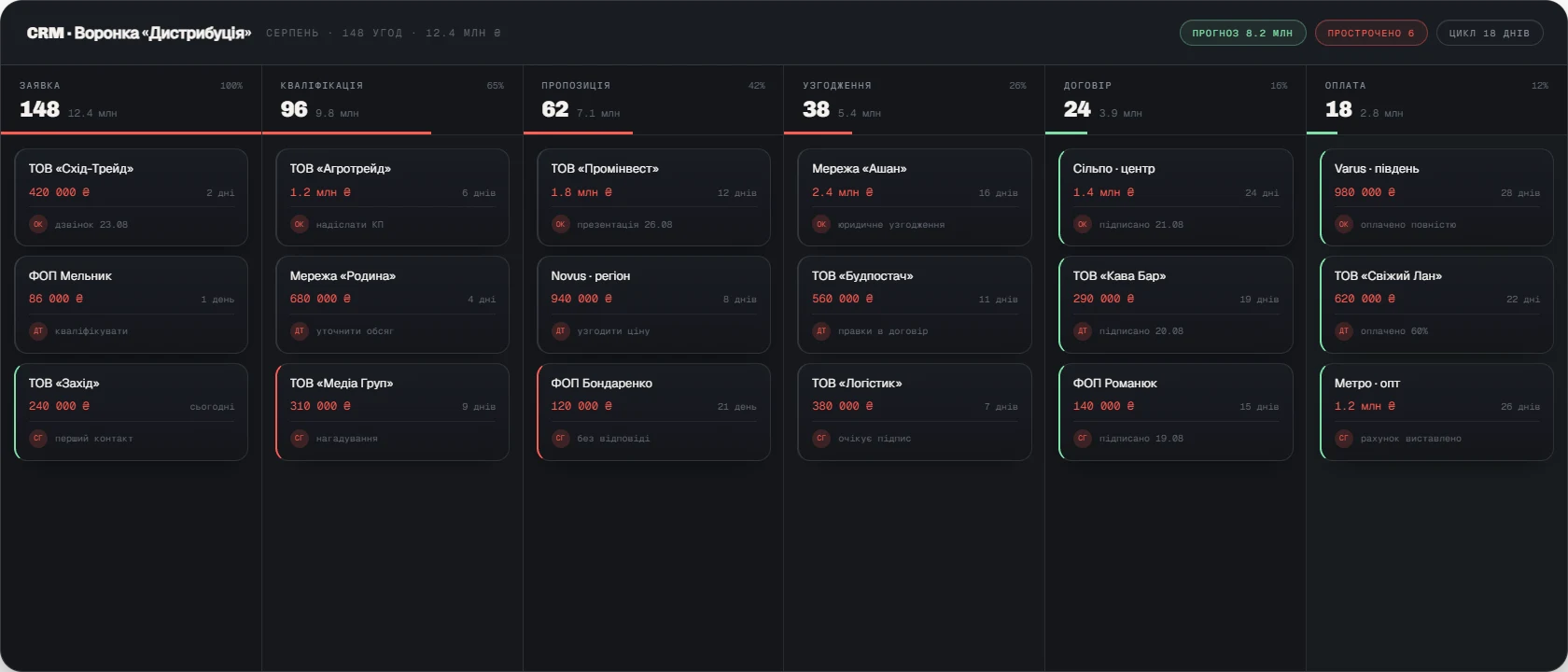
Conversion by stage, average order value, deal cycle, plan versus fact per manager, reasons for losses.
What implementation delivers
CRM turns sales from a set of personal efforts into a managed system. The manager sees a real forecast, the salesperson sees a concrete list of actions for the day, and the client sees a company that remembers what was agreed. We integrate CRM with telephony, mail, the website and the accounting system so that data is not duplicated and does not drift apart between programs.