
Human resources management
HRM is a system for staff records and management: from an employee profile and shift schedule to automatic payroll with every bonus, percentage and deduction. It closes two tasks at once: it removes manual calculations in spreadsheets and it makes pay transparent for the employee themselves.
What it is
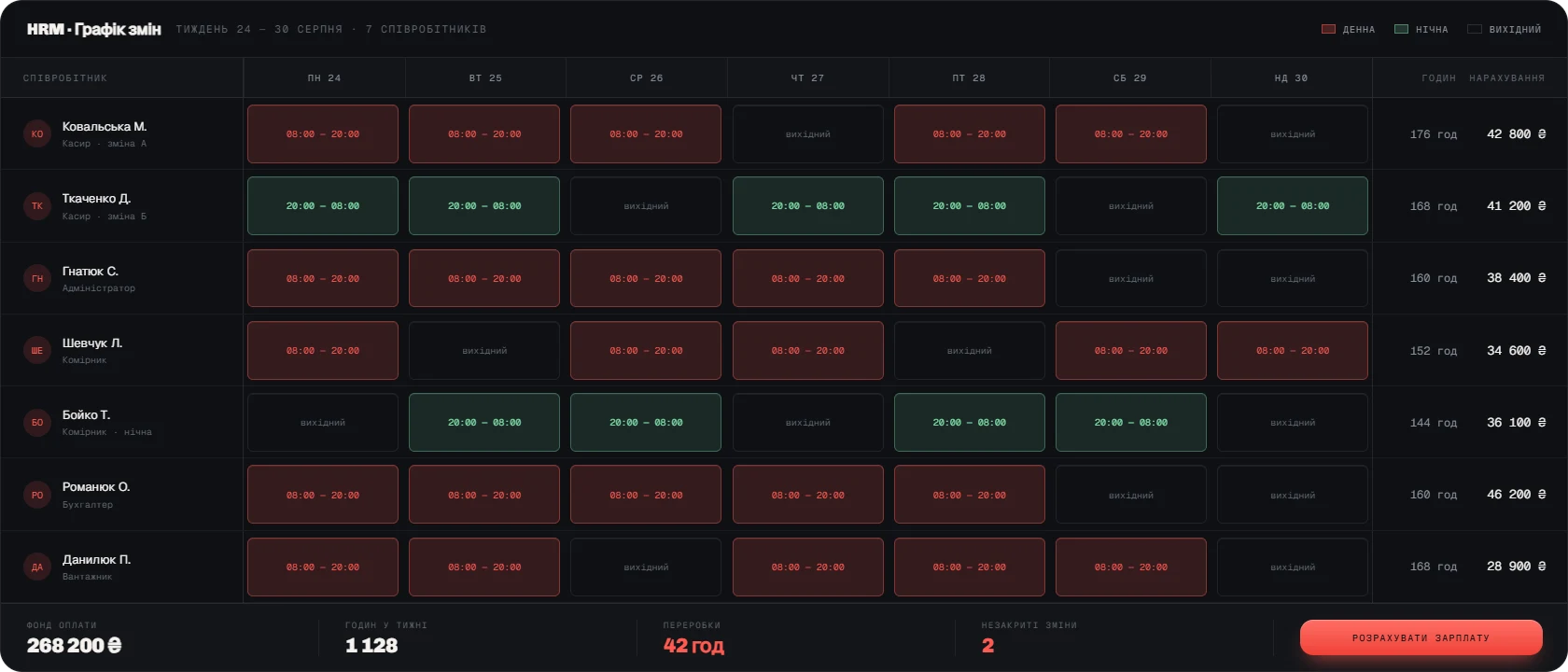
Human Resources Management keeps a single staff database: position, start date, access level, contacts, documents, history of moves and payments. Shift schedules, time tracking, sick leave, holidays and payroll all rest on that base. The system knows the pay rules for every category of employee — salary, hourly rate, percentage of sales, bonus for hitting a target — and applies them automatically for any period.
The second loop is discipline and motivation. HRM records actual clock-ins and clock-outs, lateness, shift swaps and overtime, so the question “how much did I actually work?” stops being a matter of argument. The employee sees their own calculation and understands what the figure is made of. That removes a whole class of pointless conflicts and builds trust in the pay system itself.

Why you need it
HRM is needed when staff records rest on spreadsheets and the administrator’s memory.
- Payroll is done by hand
Every month means several days of spreadsheet work and inevitable errors, which the employees themselves are the ones to find.
- Schedules live on paper
Swaps and overtime are not recorded, and later become a matter of dispute.
- Pay is opaque
The employee does not understand how their figure is built, so they do not trust the calculation.
- There is no history
On dismissal or during an inspection it is impossible to quickly pull up documents and payments from past periods.
What the system owns
HRM owns the whole life cycle of an employee in the company — from hiring to the final settlement on leaving.
- Profiles and access
A single base with documents, positions, history of moves and level of access to systems.
- Shift planning
Schedules by location and position, swaps, control of shift coverage.
- Time tracking
Actual clock-ins and clock-outs, lateness, overtime, sick leave, holidays, timesheets.
- Payroll calculation
Salaries, hourly rates, percentages of sales, target bonuses — automatically for any period.
- Payments and deductions
Advances, bonuses, penalties and compensations — all with history and tied to the employee.
- Appraisal and KPIs
Goals, metrics, regular reviews, reports for department heads.
What implementation delivers
HRM removes manual payroll, makes schedules and overtime objective, and makes pay understandable. The manager gains control over the payroll budget and discipline, the employee gains a transparent calculation. We build HRM as part of the ERP, so percentages of sales are calculated on real till data rather than on reports passed along by hand.