
Web portal
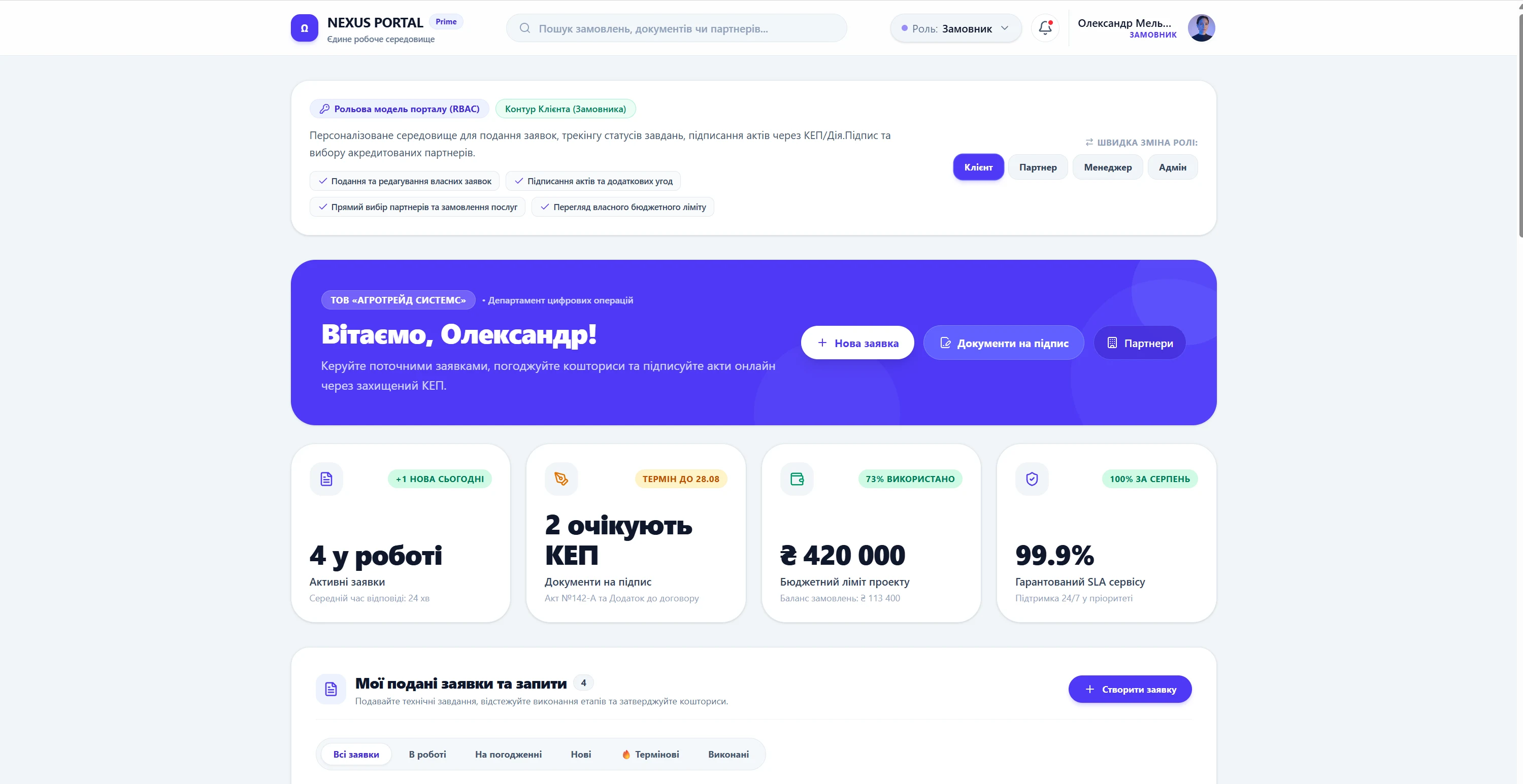
A portal is not a site about a company but an environment in which people do things: file requests, see their own data, exchange documents, work with a partner catalog. What separates it from an ordinary site is authorization and roles: different users see different content, and that is what defines the whole architecture.
What it is
A portal has a public part and a closed one. The public part works like an ordinary site with sections and search. The closed part is the personal accounts: for a client, a dealer, an employee, a partner. Each role has its own set of data, actions and notifications, and an administrator manages the access.
Technically a portal is closer to an application than to a site: it has states, transactions, permissions, an action history and integrations with internal systems. So the project starts from roles and scenarios — who logs in, what for, and what they should see on the first screen.
Who needs it and when
A portal is built when several different audiences have gathered around a company.
- Partners are asking for access
Dealers need their own prices, stock, documents and order statuses rather than an email thread with a manager.
- Clients want self-service
Viewing contracts, payments, requests and tickets without calling support.
- There is more data than a site can hold
Several sections, registers and directories that need search and filters.
- Processes run over email
Requests, approvals and documents travel by mail and get lost — a shared loop is needed.
What the site owns
A portal owns the separation of access and the accuracy of the data in each account.
- Roles and permissions
Who sees and can do what, with an action log. This is the foundation, not a setting.
- Personal accounts
A separate set of data and actions for a client, a dealer, an employee or a partner.
- Registers and search
Large lists with filters, sorting and export — the main working screen.
- Documents
Uploads, versions, access, signatures, a history of handovers.
- Integrations
Exchange with the accounting system, CRM, the warehouse or external services through an API.
- Notifications
Email, messengers, in-app events — so an action does not wait to be noticed.
What launching delivers
A portal takes routine away from managers and moves it into self-service: the partner sees prices and statuses themselves, the client sees their documents, the employee sees their tasks. We start such projects by describing roles and scenarios, because those — not the design — determine the complexity and the timeline.